Így nézheted meg a festményt a saját faladon – új virtuális falpróba a ByGodoton
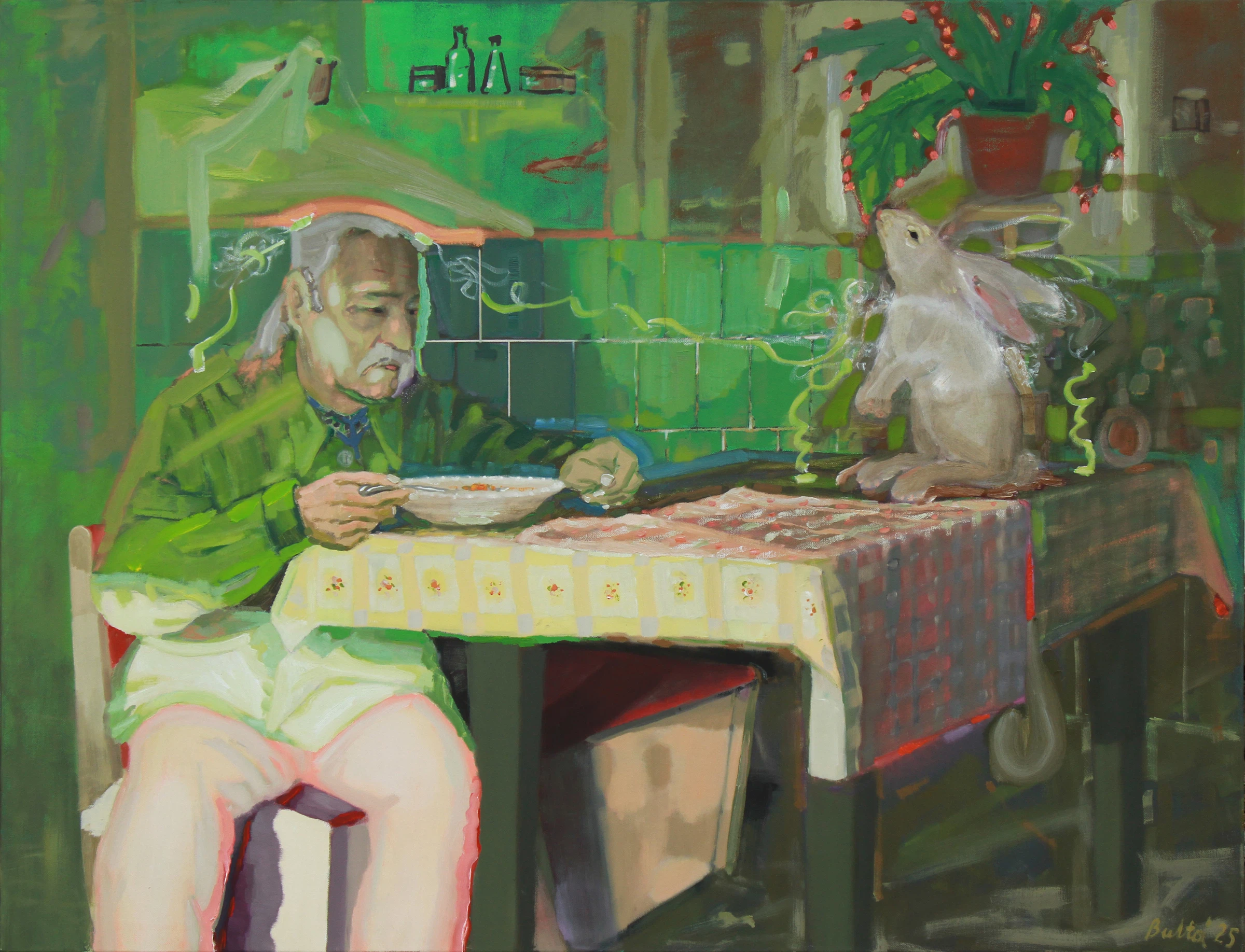
Egy műalkotás képernyőn is megszólíthat, de vásárlás előtt gyakran éppen a legfontosabb kérdések maradnak nyitva: mekkorának hat majd a szobában, jó helyre kerül-e, és melyik keret illik hozzá? A ByGodot új, böngészőből használható virtuális falpróbája abban segít, hogy ezeket ne pusztán elképzelni kelljen.
A „Próbáld ki a faladon” funkcióval a kiválasztott művet mobiltelefonon vagy tableten, külön alkalmazás telepítése nélkül helyezheted el a saját környezetedben. Támogatott készüléken élő AR-nézet, minden telefonon pedig szobafotós mód segíti az összehasonlítást.
Kevesebb bizonytalanság az online műtárgyvásárlásban
Egy mű adatlapján szereplő centiméterek pontosak, de önmagukban nehezen fordíthatók le térélménnyé. Ugyanaz a kép egészen másként hat egy keskeny előszobában, egy kanapé fölött vagy egy tágas nappali üres falán. A virtuális falpróba a döntés három fontos részét teszi szemléletesebbé:
a mű arányát és kiinduló méretét a falhoz és a bútorokhoz képest;
a lehetséges elhelyezéseket, magasságot és kompozíciót;
a keret színének és karakterének hatását.
Az eredmény tájékoztató előnézet, nem mérnöki pontosságú látványterv. Az élő AR falérzékelésének pontossága a készüléktől, a megvilágítástól és a környezettől is függ, de a funkció jóval több kapaszkodót ad, mint egy önmagában megjelenő termékfotó.
Hogyan nézhetem meg a festményt a saját falamon?
Nyiss meg egy olyan ByGodot műtárgyoldalt, amelyen elérhető a „Próbáld ki a faladon” lehetőség.
Indítsd el a falpróbát mobiltelefon vagy tablet böngészőjében. Nem kell alkalmazást letöltened.
Válaszd az élő AR-nézetet, ha a készüléked támogatja, vagy használd a minden telefonon működő szobafotós módot.
Helyezd el a művet a falon, majd szükség esetén két ujjal korrigáld a méretét és a pozícióját.
Próbálj ki több keretet, ments pillanatképet, és hasonlíts össze legfeljebb négy változatot.
Próbáld ki közvetlenül a működő falpróbát, vagy válassz művet a ByGodot keresőjében.
Élő AR: a mű valós méretéből indul
Támogatott telefonon vagy tableten a böngésző kameraképe fölött jelenik meg a kiválasztott alkotás. A rendszer a ByGodot adatbázisában tárolt valós szélesség és magasság alapján állítja be a kezdő méretet. Ha a falérzékelés vagy a nézőpont miatt finomítás szükséges, a mű két ujjal átméretezhető és igazítható.
Ez különösen akkor hasznos, ha két közeli méretű falrész között választasz, vagy azt szeretnéd megítélni, hogy a kép önmagában, esetleg más tárgyakkal együtt működik-e jobban.
Keret nélkül, fekete, fehér vagy fa kerettel
A mű környezete mellett a keretezés is jelentősen megváltoztathatja az összhatást. A falpróbában több változat kapcsolható egymás után:
keret nélküli megjelenés;
fekete keret;
fehér keret;
natúr tölgy keret;
dió keret;
arany keret.
Így ugyanazon a falon lehet összevetni például a visszafogott, keret nélküli változatot egy erősebb fekete kontúrral vagy egy melegebb fa kerettel.
Szobafotós mód minden telefonra
Ha az élő AR nem érhető el vagy inkább egy nyugodtan szerkeszthető képpel dolgoznál, készíthetsz vagy kiválaszthatsz egy fotót a szobáról. A méretkalibrálás egy általad megadott, ismert távolság alapján történik, ezért a program viszonyítási pontot kap a mű elhelyezéséhez.
A szobafotót a böngésző helyben dolgozza fel: a kép nem töltődik fel a szerverre. Ezután ugyanúgy módosítható a mű helye, mérete és kerete.
Mentés és összehasonlítás
A kész előnézetről pillanatkép menthető, amely JPG-fájlként letölthető a telefonra. Legfeljebb négy változat tartható meg összehasonlításra, így egymás mellé kerülhet például:
két eltérő elhelyezés;
ugyanaz a mű fekete és natúr tölgy kerettel;
két különböző méretbeállítás;
több, egymással versengő mű vagy kompozíció.
Az elmentett képek később is visszanézhetők, illetve megmutathatók annak, akivel közösen szeretnél dönteni.
Gyors válaszok a falpróbáról
Működik-e alkalmazás nélkül?
Igen. A falpróba mobiltelefon vagy tablet böngészőjében indul, külön alkalmazás telepítése nélkül.
Valós méretben jelenik-e meg a mű?
A rendszer az adatbázisban tárolt valós szélességből és magasságból indul ki. A megjelenés két ujjal korrigálható. Az AR-előnézet tájékoztató jellegű, mert a pontosság a készüléktől és a környezettől függ.
Lehet-e keretet választani?
Igen. Keret nélküli, fekete, fehér, natúr tölgy, dió és arany változat próbálható ki.
Menthető-e az eredmény?
Igen. Pillanatkép készíthető és JPG-ként letölthető, továbbá legfeljebb négy változat hasonlítható össze.
Mi történik a szobám fotójával?
A szobafotós módban a kép feldolgozása helyben, a böngészőben történik; a fotó nem kerül feltöltésre a szerverre.
Próbáld ki a saját faladon
A ByGodot falpróbája a megfelelő műtárgyoldalakról közvetlenül elérhető, és a ByGodot főoldalán, a Godot Art Expo ajánlója alatt is megtalálható. Ha szeretnéd látni, hogyan működik, indítsd el a tesztútvonalat. Ha előbb művet választanál, böngéssz a ByGodot keresőjében.
A virtuális előnézet nem helyettesíti a személyes találkozást a művel, de segít abban, hogy az online választásnál a méret, az elhelyezés és a keret már ne puszta találgatás legyen.